Thermal State Management and Adaptive Performance Throttling in iOS
iOS silently throttles apps when hardware heats up.
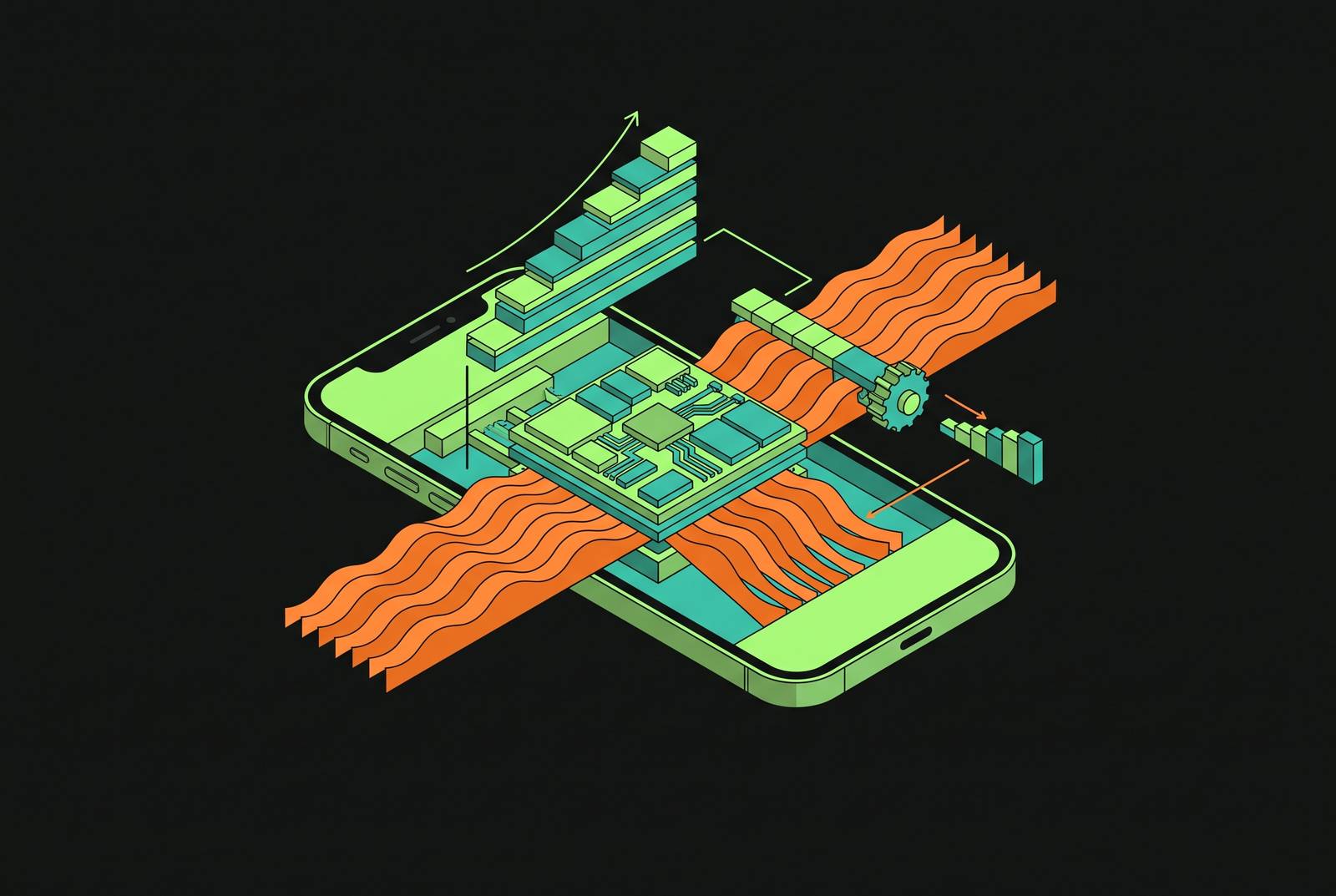
When a user taps again on a hot afternoon and the app is lagging, no error appears onscreen, just a slower version of the same screen. No crash log appears. No exception fires. The slowdown the user feels has a cause, and that cause is a layered system of hardware and software limits that iOS runs silently, with no compile-time warning to the developer and no on-screen explanation to the person holding the phone.
The mechanism starts in the silicon. Chip makers call it DVFS, and they use it to adjust clock speed and voltage as a workload runs, with temperature as one input among several in the device's thermal budget. DVFS exists to cut performance on purpose when the system needs it to; it is a deliberate control mechanism, not an unintended side effect of a chip running hard.
Look at Qualcomm's adaptive thermal management patent (US 8,972,759) to see how granular this gets in practice. A portable computing device under this design watches junction temperature, package-on-package memory temperature, and the skin temperature of the case all at once, each with its own threshold and its own sampling rate, and steps performance down only as far and only as long as needed to clear a violation before authorizing the chip back to full power. Cross one junction threshold and performance drops a level while sampling switches to a faster rate; hit the critical threshold next and performance drops again; clear the violation and a penalty period holds the reduced level before any recovery begins. Apple's cold-temperature throttling patents describe the same layered logic running in the opposite direction: at low battery temperatures, the system picks throttle settings across the CPU, GPU, and screen backlight together, adjusted further by whether a power-hungry component like the camera happens to be running.
None of this requires the app itself to be at fault. Another app's workload can heat the device enough to trigger throttling that degrades a completely well-built app running alongside it. The engineer did nothing wrong, and the user has no way to know that, and neither does the stack trace.
The four thermal states iOS exposes
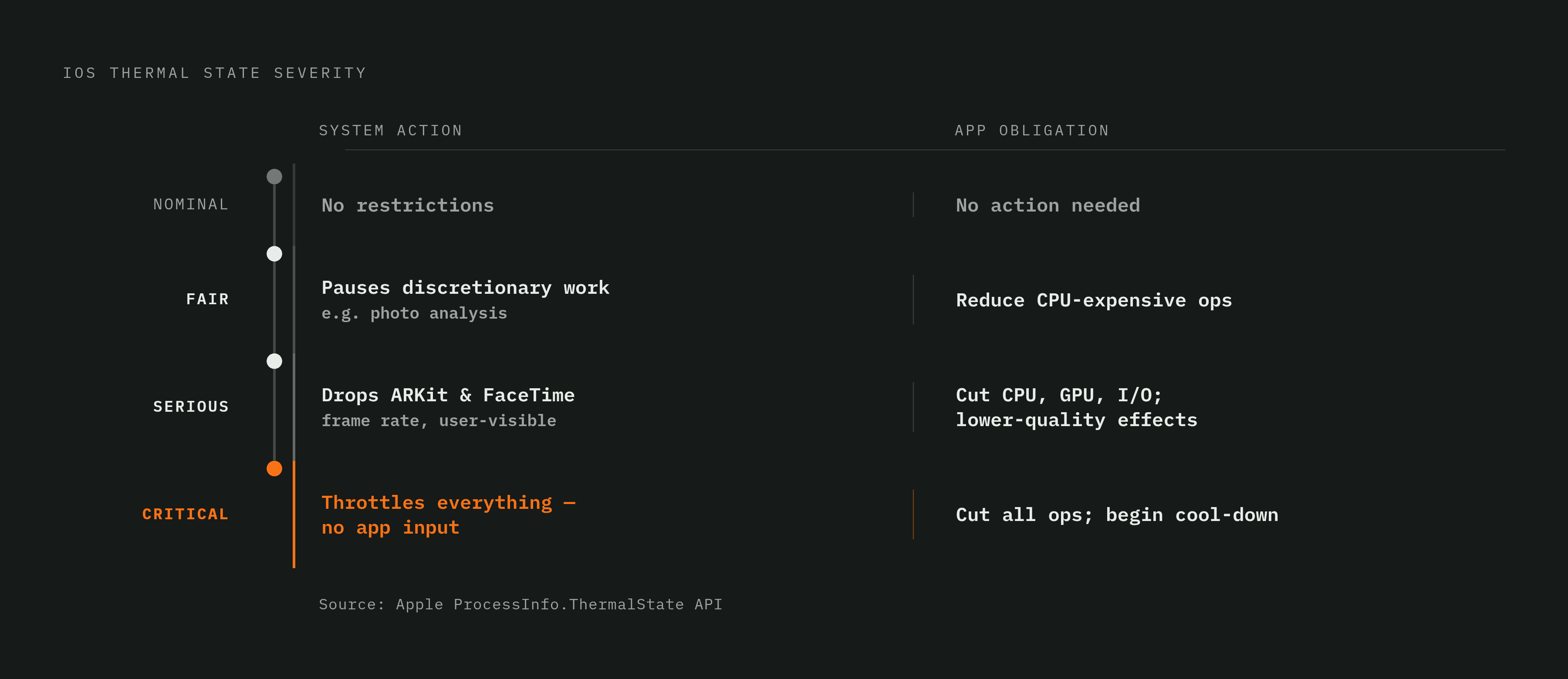
Apple gives developers exactly one standard window into all of this: four states exposed through ProcessInfo.thermalState, named Nominal, Fair, Serious, and Critical. Each one carries a specific obligation for the app running under it.
At Nominal, thermals are at an acceptable level, so there's no negative performance impact and nothing the app needs to do. Fair means thermals have risen slightly: the system starts pausing discretionary background work on its own, such as photo analysis, and the app should start trying to cut back CPU-expensive operations. Serious means the impact is now visible to the user: the app should actively reduce heavy CPU use, graphics load, and I/O, and switch to lower-quality visual effects. Apple itself drops the frame rate of ARKit apps and FaceTime calls once a device reaches this state. Critical is the last stop: the app should cut every operation it can and start cool-down behavior, because the alternative is Apple's own throttling taking over in ways the app has no say in.
Apps can watch this state two ways. A NotificationCenter observer on thermalStateDidChangeNotification picks up changes as they happen, and a direct call to ProcessInfo.processInfo.thermalState returns the current state synchronously whenever the app wants to check. The four values read like a short enumeration, but each one is a contract: the platform tells the app what's happening, and the app owes a specific response in return.
The gap between ProcessInfo and hardware reality
ProcessInfo is the tool nearly every iOS engineer reaches for first, but its resolution doesn't match what the hardware is actually doing underneath it. By the time the API reports a change, the device may already be well into degraded performance that the app has no visibility into yet.
Stress testing shows ProcessInfo folding both "moderate" and "heavy" hardware throttle conditions into the same single Fair value, even though the hardware treats them as distinct states with different severity. An app that waits for ProcessInfo to confirm a problem can miss the entire window where a small amount of shedding, done early, would have kept the device from escalating to Serious. Engineers who need to see that window can subscribe to com.apple.system.thermalpressurelevel notifications through the private OSThermalNotification.h header, which exposes finer-grained pressure levels without requiring root access. If an app reacts to Fair on ProcessInfo, it may already be responding to a moderate hardware throttle that started earlier, and if it waits for ProcessInfo's official signal instead, it has already missed the chance to act. This is the gap that separates engineers who have shipped something under real thermal load from engineers who have only read Apple's documentation on the subject.
Adaptive thermal architecture in a production app
The right response to thermal pressure sheds optional work first: background indexing, thumbnail generation, decorative shaders, speculative rendering ahead of what the user is actually looking at. Core, user-facing behavior stays intact for as long as the device can support it.
The pattern that makes this work puts a thermal-state probe behind a capability interface exposing a small set of states, nominal, fair, serious, critical, and unknown, so the rest of the app never touches ProcessInfo directly. On iOS, that probe reads ProcessInfo.thermalState and listens for thermalStateDidChangeNotification, feeding a switch statement that decides what to do at each level: nothing at nominal, deferring non-critical background work at fair, actively cutting CPU use at serious, and reducing every operation possible at critical.
The SaneNotes issue #880 specification, published September 13, 2026, puts this into a concrete build. The thermal probe sits behind a capability interface, so platform bindings can map thermal state onto a ladder of steps with hysteresis built in to stop the app from flipping back and forth between levels, and the thermal timeline gets written into the performance result JSON so any throttled run carries that fact with it. The spec holds one constraint as non-negotiable: wet-ink latency, stroke geometry, and persisted data have to stay identical at every thermal state, proven by a golden test that checks the committed stroke output doesn't change no matter what the thermal state was during capture. No modal, banner, or toast ever fires on a thermal transition. The thermal state appears only as a read-only diagnostics line in Settings, because the correct user experience of throttling is that the user notices nothing. Platforms without a thermal API, the web being the obvious case, get a graceful no-op instead of an error. The hysteresis requirement matters architecturally: an app that oscillates between fair and serious without it would keep switching quality levels back and forth, which feels worse to a user than holding a steady, slightly reduced state.
On-device AI inference and the hardest thermal problems
Heat, not model size and not available RAM, is the limiting factor on sustained performance for apps running multi-billion-parameter models on-device. Thermal management is therefore a core architectural requirement for on-device AI products, to be built in from the start rather than applied after the model works.
On-device inference never appears as a line item on a cloud bill. It appears instead as battery draw, as a thermal envelope the device has to stay inside, and as the size of the model adapter the app has to ship inside its own bundle, and all three need managing at the same time. Keeping the device cool and the battery lasting through a full day of use is the stated goal of any on-device AI stack, and the distance between that goal and what actually happens during sustained inference under real thermal pressure has to be measured directly rather than assumed to be small. A typical inference session starts nominal at launch, climbs to fair during sustained generation, and reaches serious under extended workloads, and without adaptive logic in place, that climb is visible to the user as dropped frames and slower token generation rather than as any kind of clear error message. The instrumentation requirement that follows is direct: a throttled inference run has to be marked as throttled in its own performance result, never compared silently against a nominal baseline as though the two were measuring the same thing, because a benchmark that doesn't track thermal state tells you nothing reliable about the model it's measuring. The same probe-and-ladder pattern the SaneNotes spec builds for note-taking applies just as directly to inference workloads, since both are, at bottom, the same problem: sustained compute load under a thermal ceiling that the app has to respect without the user noticing it's there.
Native Swift as the only practical foundation for thermal-aware AI on iOS
Native Swift and SwiftUI give an engineer direct, unmediated access to the OS-level APIs described above, and for apps where on-device AI is a performance-critical component, that access is a decisive advantage specifically in thermal management.
React Native's bridge architecture puts a delay between the thermal signal and whatever response the app takes in return: the notification fires in native code, crosses the bridge, and only then runs the JavaScript that decides how to shed work. So under thermal pressure, that round-trip adds exactly the kind of lag the app can least afford at that moment. You can only reach OSThermalNotification.h and the finer-grained pressure notifications beneath it through native code, so a React Native app needs a native module to get there, and someone then has to keep that module in sync with every OS change Apple ships. If your app is mostly standard UI and network calls, and a small team is building it for both iOS and Android, React Native is a reasonable trade-off. That trade-off forecloses the finer-grained thermal instrumentation this piece has been building toward, which is what makes it unsuitable for AI-native workloads specifically. Native Swift and SwiftUI also hold up better over time: when Apple changes the thermal API surface, and the trend toward baking thermal awareness directly into rendering primitives suggests it will, native code picks up that change the day the OS ships it, while a React Native app waits for native modules and bridge libraries across the ecosystem to catch up.
Reactive throttling on top of a poorly designed workload is a patch, not a solution
The adaptive architecture this piece has described is necessary and still not sufficient on its own. If an app sheds optional work gracefully once it hits Serious, it's still generating that thermal load somewhere upstream, and the real leverage is in reducing unnecessary heat before the degradation policy ever has to fire.
The strongest case against everything argued so far goes like this: a poorly architected native app, one with blocking network requests, an inefficient data model, or careless memory management, will run hotter and feel rougher than a carefully optimized cross-platform app, no matter how good its thermal-aware degradation logic looks on paper. Layering adaptive shedding on top of a codebase that runs hot by design is reactive engineering standing in for work that should have happened earlier. That objection is correct, and it doesn't cancel out the case for adaptive architecture, because reactive shedding and upstream efficiency solve different problems. Shedding exists for thermal pressure the app can't prevent from the outside: another app heating the device, a hot room, a cold battery throttling the camera. No amount of efficient code written in-house can change any of those conditions. The upstream half of the work happens earlier and looks like ordinary engineering discipline: watching CPU, GPU, and battery draw during development with Instruments and Xcode's Energy Gauge, keeping animations efficient, limiting background tasks, avoiding tight loops, batching network requests, and testing on real devices under real conditions, since simulators don't reproduce thermal behavior. A vehicle-control app where thermal degradation could touch safety-critical functions can't lean on graceful degradation as its only defense, which is what makes the Fisker context concrete. The upstream workload has to be built to run cool in the first place, with the adaptive layer there to catch whatever pressure slips through from outside the app's control.
Testing and tooling that make thermal behavior visible during development
None of this can be validated in a simulator, and a passing test suite proves nothing about how an app behaves under real heat. You need specific tools to see thermal behavior, run on real hardware, under conditions that reproduce the thermal load a shipped app will actually face.
Instruments and Xcode's Energy Gauge are the primary tools for this during development, surfacing CPU, GPU, and battery draw together so the thermal fingerprint of a given workload becomes visible before any user ever encounters it. The debug override pattern described in the SaneNotes spec matters for testing adaptive logic specifically: forcing a thermal state in the test environment lets an engineer confirm that the ladder steps, the hysteresis logic, and the golden-output invariants all hold at every level, without waiting around for a real device to physically heat up first. If you record the thermal timeline into the performance result JSON, and mark any run that entered Serious or Critical as throttled, thermal behavior becomes part of the CI artifact itself, caught and logged automatically rather than discovered after a user complaint arrives.
Sources
- Adaptive thermal management in a portable computing device including monitoring a temperature signal and holding a performance level during a penalty period
- Cold temperature power throttling at a mobile computing device
- Energy Efficiency Guide for Mac Apps: Respond to Thermal State Changes
- Designing for Adverse Network and Temperature Conditions - WWDC19 - Videos - Apple Developer
- LLM Inference at the Edge: Mobile, NPU, and GPU ...
- A Performance Evaluation of a Quantized Large Language Model on Various Smartphones