Brownfield Native iOS Integration With React Native Screens
How to embed React Native screens into existing native iOS apps without rewriting them.

Brownfield iOS integration means adding React Native screens to an app whose entry point stays native, Swift or Objective-C, with UIKit or SwiftUI running the show. React Native appears inside a house it doesn't own, as a guest rather than the foundation. That's a different problem from greenfield work, where React Native is the entry point from the first line of code, and it's a distinction that changes the integration surface, the ownership model, and the risk profile from the ground up.
Teams end up here for practical reasons, not ideological ones. There's a native app already shipping, already stable, already carrying years of reviews and crash-reporting history from its app store. Rewriting it from scratch to get React Native's cross-platform benefits would mean throwing away that stability for a bet on a new runtime. So instead, teams add React Native screens where it makes sense, usually where logic can be shared with an Android counterpart, and leave the rest of the native app alone.
This incremental approach plays out at real scale across the industry, not just in demos. Teams with mature native apps bring React Native in one screen at a time, deliberately, on their own schedule, leaving the rest of the native app untouched. That's a mature dual-codebase app bringing React Native in one screen at a time, deliberately, on its own schedule. It's the kind of pattern this piece is actually about.
How React Native's architecture has changed what brownfield integration involves
The old React Native bridge ran JavaScript and native code on separate threads and made every single call cross between them as a JSON string, serialized on one side and parsed back into native objects on the other. That overhead explains why early brownfield embeds had a reputation for feeling sluggish. Every button tap, every scroll event, every state update paid a tax in serialization time, and that tax added up fast in any screen with real interactivity.
The new architecture replaces that bridge with three pieces that work together. JSI, the JavaScript Interface, is a thin C++ layer that lets JavaScript and native code hand off values and function calls directly, without turning everything into a string first. TurboModules sit on top of JSI and load native modules lazily, only when a screen actually needs them, instead of loading every registered module eagerly at startup the way the old NativeModules system did. Fabric replaces the legacy UIManager and adds concurrent rendering, which cuts down on layout passes and keeps the main thread free for longer stretches.
React Native 0.78 called out "better brownfield integration for iOS" as a headline feature in its release notes. Brownfield stopped being an edge case the framework tolerated and became something the release notes treated as a first-class use case worth engineering for.
None of this comes free, though. The new architecture assumes the React Native project root and the iOS project live in the same directory, and that assumption breaks a lot of repository layouts that predate it. Apps with a longstanding folder structure, maybe a native iOS project living several directories away from any JavaScript code, run into real friction upgrading, and some end up restructuring the whole repo just to stay current.
Packaging the React Native layer as an XCFramework
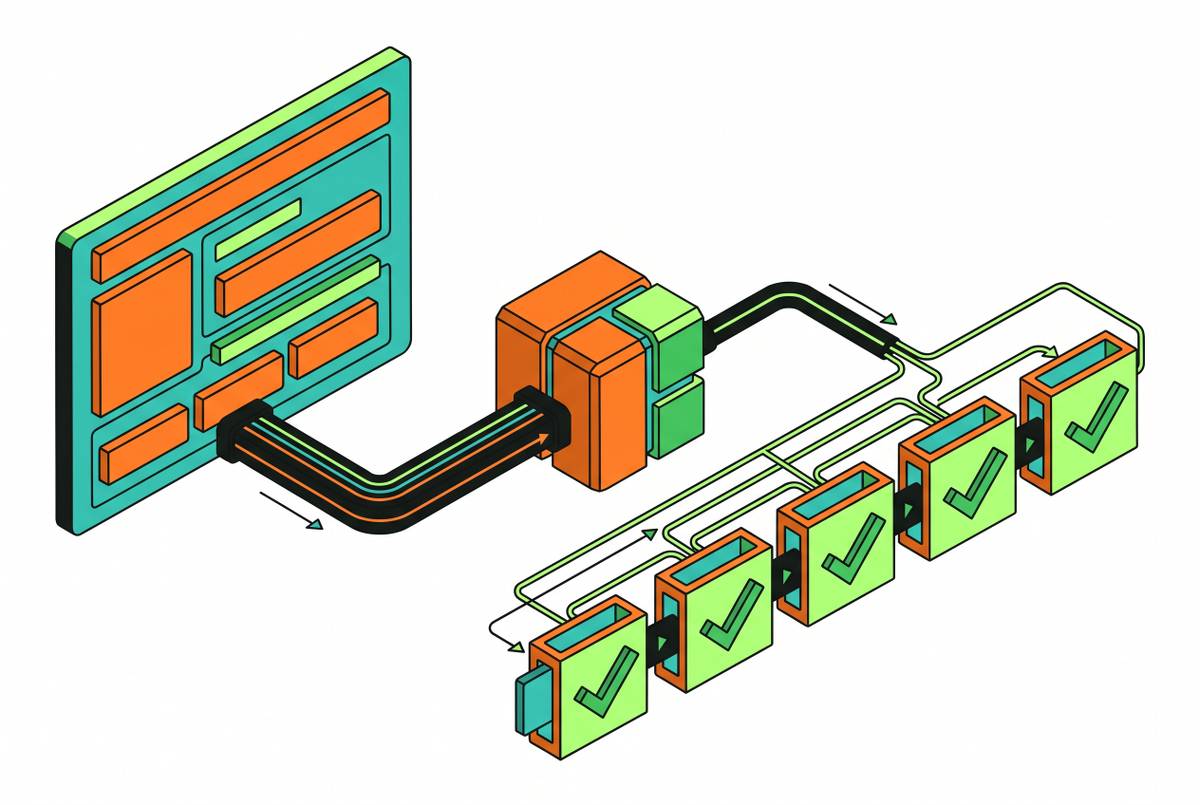
The fix for the shared-root problem is to stop treating React Native as something that lives inside the iOS project at all, and instead package it as a standalone XCFramework. Once it's an XCFramework, the native app can treat React Native like any other third-party dependency: add it, link it, update it on its own schedule, with zero assumptions about where the JavaScript code physically sits.
The tool built for this is @callstack/react-native-brownfield, an npm package (version 5.1.0 in the current npm listing). The command that actually does the packaging is npx brownfield package:ios, run from the CLI.
Setting this up in Xcode means adding a new Framework target (File → New → Target → Framework), then getting a handful of build settings right: Build Libraries for Distribution has to be YES, User Script Sandboxing has to be NO, Skip Install has to be NO, and Enable Module Verifier has to be NO. Get any one of those wrong and the framework either won't build for distribution or won't link the way the app expects. On the CocoaPods side, the framework target needs to sit inside the existing app target in the Podfile, and it needs static linking, which the CLI sets up automatically when package:ios runs.
Running the packaging step causes the build directory to hand back a set of XCFrameworks, not just one. There's the framework carrying the packaged React Native app code itself, named after whatever target you chose. There's hermesvm.xcframework, the Hermes JavaScript runtime (older React Native versions, before 0.82.0, called this hermes.xcframework instead). There's ReactBrownfield.xcframework, the brownfield library itself. If the build uses prebuilts, React.xcframework and ReactNativeDependencies.xcframework are included in the build directory too. And depending on what a given app needs, two optional pieces can join the set: Brownie.xcframework for shared state, and BrownfieldNavigation.xcframework for the navigation bridge covered further down.
Initializing the JavaScript engine inside the native app
@callstack/react-native-brownfield is built around one idea: starting React Native should take one method call, and once that call finishes loading, the native side is free to invoke JavaScript code. The library deliberately exposes only that one surface to native code, which keeps the native side from having to know or care about React Native's internals.
Just as important: initialize once. Every embedded React Native screen in the app shares the same running instance, and starting a second instance somewhere else in the app is the single most common way naive brownfield setups burn memory and add startup lag they didn't need to add.
Debug and release builds behave differently, and it's worth knowing which one you're looking at when something breaks. In debug, the library expects a live Metro dev server to be running and serving JavaScript over the network. In release, the app loads main.jsbundle straight out of the release XCFramework, with no dev server and no JavaScript tooling needed at runtime.
The lazy-loading behavior of TurboModules matters again here. Because native modules only initialize when a screen actually calls for them, they get to sit outside the app's critical startup path. For a brownfield app carrying a long list of native modules built up over years, that's a concrete, measurable reason the migration to the new architecture is worth the friction it costs to get there.
Handing off navigation between native and React Native screens
Native navigation, UINavigationController, tab bars, modal sheets, and React Native's own navigation libraries don't share any common language. Nothing about UIKit's navigation stack knows what a React Native route is, and nothing in a typical React Native navigator knows what a UINavigationController push looks like from the native side. Bridging the two needs an explicit contract, built on purpose.
@callstack/brownfield-navigation is that contract, and it's typed rather than string-matched, which prevents mismatches between native and JS navigation from going undetected. A string-matching scheme between native and JS navigation works fine until someone renames a route on one side and forgets the other, and that kind of bug appears in production, not in a code review. A typed bridge catches the mismatch at compile time instead.
The library works with any native navigation pattern an app already has in place, and it preserves the back-stack behavior iOS users expect, swipe to go back, the back button in the nav bar, all of it staying intact even when the screen underneath is React Native rather than a native view controller.
The path looks different depending on what the native side is built in. In UIKit, React Native views get embedded as ordinary view controllers, which is the most established, most tested route through this library. In SwiftUI, there's a ReactNativeView component built for exactly this, which became available starting in React Native Brownfield 1.0.0.
Keeping state consistent across the native and JavaScript layers
Most of the state a brownfield app cares about, auth tokens, feature flags, user preferences, session data, already lives on the native side, because the native side has been running the app for years. The React Native layer needs access to that state without keeping its own separate copy that can quietly fall out of sync with the original.
Brownie, the companion library built for this (its iOS build artifact is Brownie.xcframework), solves it with typed shared state: one TypeScript schema generates typed models for both Swift and Kotlin, so both platforms are working off the exact same definition of what a given piece of state actually is. That schema-first design is the whole point. It's what stops type drift between a Swift engineer's mental model of a value and a JS engineer's mental model of the same value.
Typed models here catch mismatches at the untyped bridge before native engineers and JS engineers end up quietly relying on different assumptions about that state. In a brownfield app, the native side already owns the source of truth for almost everything that matters. Hand that state across an untyped bridge and native engineers and JS engineers end up quietly disagreeing about what a value even represents, sometimes for months, before anyone notices the drift in a bug report.
Three categories of state need a real plan, not an afterthought. Auth and session data has to reach the JS side before a React Native screen mounts, not scrambled in after the fact once the screen's already rendering. Navigation flags and deep-link parameters need the same care: native decides which screen to show, but JS needs the context explaining why that screen was chosen, or the screen renders correctly with no idea what put it there. Transient UI state, a text field's current value, a toggle mid-interaction, is the one category that's fine to leave alone. It can live entirely inside the React Native layer without ever syncing back to native.
How Expo tools fit into a brownfield iOS setup
Expo's own documentation defines brownfield the same way this piece does: an existing native app whose main entry point isn't a React Native view. That's not a side note in Expo's docs, it's covered as its own explicit case.
Expo offers two ways in. The isolated mode packages Expo as its own native library, an XCFramework, fully self-contained and independent of whatever the main native project's structure looks like. The integrated mode adds Expo directly into the native project instead, which tends to fit apps that started life as React Native and later grew native code around the edges, though it's usable for a native-first app too.
Getting Expo Updates working inside an isolated brownfield setup takes some specific iOS packaging steps and its own over-the-air testing process. A Callstack tutorial from May 2026 walks through enabling it using Expo SDK 55 as the reference version.
--use-prebuilt-expo false, a flag in the Brownfield CLI's packaging step, produces just ExpoModulesJSI.xcframework and nothing more. Leaving the flag off, or setting it to true, packages in the full set of Expo support modules. That single flag is effectively a dial for how much Expo footprint ends up in the final XCFramework set, and teams that only need a sliver of Expo's functionality can dial it down accordingly.
What Shopify's September 2026 reversal teaches about brownfield decisions
Between 2020 and 2024, Shopify committed to React Native across both Shopify Mobile and Shopify Point of Sale, and the results were genuinely strong by the numbers Shopify itself reported: 86% code unification across iOS and Android, 1.8 million lines of redundant code eliminated, P75 screen loads under 500 milliseconds, and crash-free sessions above 99.9%. Whatever else gets said about the decision, those weren't soft numbers.
On September 10, 2026, Shopify published a post announcing it was migrating every one of its mobile apps back to Swift and Kotlin. The Shop app rebuild ran with six engineers and got from proof of concept to real stores in twelve weeks, a pace that says something on its own about how fast native development has gotten with the right tooling behind it.
Native doesn't automatically mean fast, and React Native doesn't automatically mean slow, as Shopify's own framing of the reversal shows. This isn't a story about React Native failing to perform. The 99.9% crash-free rate and the sub-500ms load times make that reading hard to sustain.
The economics underneath the original decision are what actually shifted. The 2020 bet on React Native rested on the idea that a shared codebase saves engineering labor by avoiding duplicate work across platforms. When the assumptions behind that bet changed, the bet itself needed re-examining, and Shopify re-examined it.
A clean brownfield embed versus a brittle one
Every piece covered here, the XCFramework packaging, the engine initialization, the navigation handoff, the state sync through Brownie, shares one property in a clean setup: each layer can be rolled back on its own, without dragging the rest of the app down with it. If a React Native screen turns out to be the wrong call six months in, pulling it should mean removing that screen, not restructuring code that had nothing to do with it.
That's the real dividing line between a clean brownfield embed and a brittle one. A brittle setup tangles the layers together: navigation code that assumes a specific XCFramework version, state sync that only works if a particular screen happens to be mounted, initialization logic scattered across files that have nothing else in common. A clean setup keeps the boundaries sharp enough that removing one piece doesn't force a rewrite of the pieces around it.
Shopify's reversal is proof that the economics behind a cross-platform decision can shift under a team's feet within a few years, sometimes for reasons that have nothing to do with the technology's performance. A brownfield integration built with real boundaries between its layers can absorb that kind of shift. One built as a single tangled unit can't, and ends up costing far more to unwind than it ever cost to build.